Pages


Add Tags To Your Photos on Orkut


This very cool new orkut feature will allow you to add tags to your photos. Friends can tag each other friends in group photos. Each profile has a new '
photos of me' section which will inform them if any of their friends have tagged them.


» How to add tags to your orkut photos


  • Choose any photograph you uploaded.
  • You will find an add tag option just below the photo
  • click on the 'add tag' option and select the portion of the image you want to associate.
  • After, selecting the portion, enter the name of your friend whom you have tagged.
  • Your job is over
  • Repeat if you want to select some other portion of the image and add more tags.
  • Now, the person whom you tagged will be notified by a new section in his profile - photos of me
  • He he clicks photos of me, he will be taken to the picture you added tags on.
  • Thus, you need not visit any of your friends profile to see if they have uploaded your photo in their albums. Great isn't it?
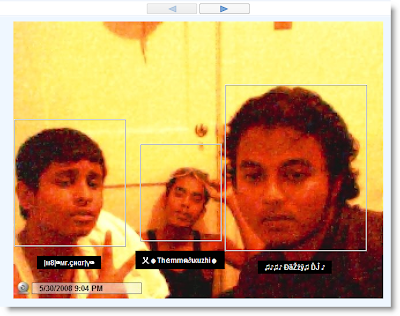
  • Best example of photo tagging - screenshot

» I don't want my friends to tag me


  • In the first section, you'll find photo tagging setting.
  • Un-check the box and update your profile.
  • That's all.


How to Convert Your Favourite Blog Posts or Webpages into PDF or Images Online for Free

How do you remember your favourite blog post and / or web page.Either
bookmark or save the page,right? Now you can make it easy with a cool
website that converts URL's into pdf documents or images.Just paste the
url and select options.Within minutes ,you receive a link to download
in selected format.If you enter email (optional)address, you can
receive the download notification in your inbox too.
Goto freepdfconvert then enter URL
Fill-up the options and click convert.


Additionally you can

-Convert MS Office,Images,Vector Graphic formats to PDF
_Convert PDf to word,excel,rtf formats

I
have tried out this cool service and successfully converted most useful
blog posts into PDF documents and images for further read when i am
offline.Do try and don't forget to comment on how it worked for you.

NOTE:-
For a Non-member this service is limited to 15 conversions per month
and intervals between submits should be atleast 30 mins...